The best way to share a Suno song depends on who needs it and what they’ll do with it.
| Sharing format | Choose it for | Main trade-off |
|---|---|---|
| Suno link | Bringing listeners to Suno | Online access required |
| MP3 audio file | Audio for collaborators | Audio only |
| MP4 video | Social posts or lyric videos | Needs existing video or editing |
Share a Suno Link
Creators sharing a new track in a music community can use a Suno link to bring listeners to the song page and their other public tracks.
Recipients need an internet connection and access to the Suno page.
Send an MP3 Audio File
For podcasters or video editors sending a reference track to a collaborator, MP3 provides an audio file they can save and use in a compatible editor.
Share an MP4 Video
For social media creators posting a song excerpt or lyric video, MP4 keeps the music and visuals together.
- Existing video: Use the song’s available MP4 if its visuals already suit your purpose.
- Personalized video: Download the audio and add your own photos or lyrics in an editor. See our Suno music in CapCut guide.
Before posting, adjust the video’s length and framing to suit the destination.
SunoDown downloads available MP3 audio and MP4 video from supported public Suno links. Format availability and service limits apply; private or restricted links may not work.
How to Download Suno Songs for Sharing
- Copy the song link: Open the song in Suno and copy its share link.
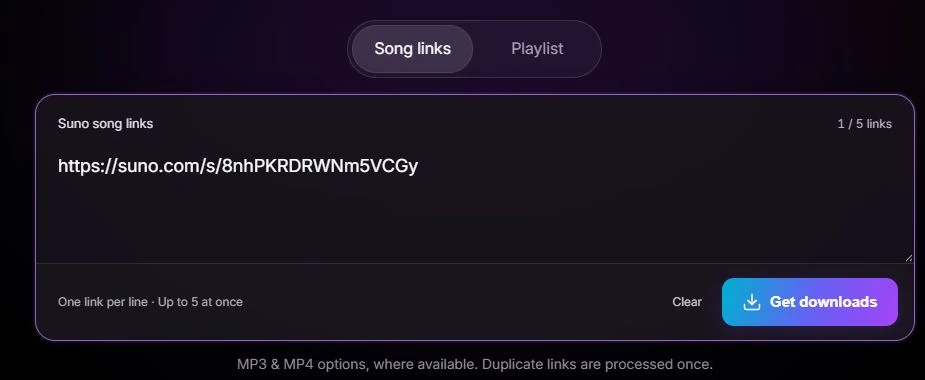
- Paste it into SunoDown: Open SunoDown, paste the link into Song links, and click Get downloads.
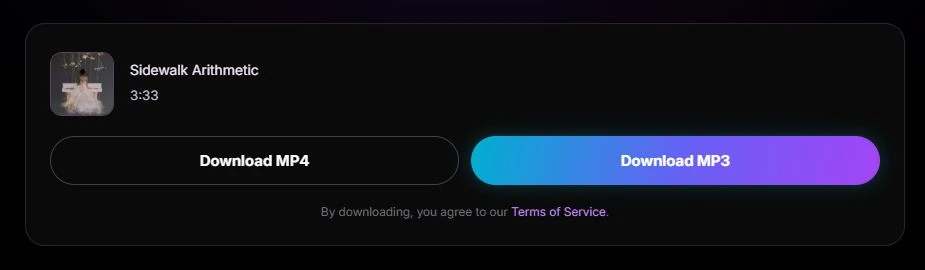
- Choose MP3 or MP4: Click Download MP3 for audio or Download MP4 for video, where available. Save the file to your device.