Whether you want to watch a Suno song offline, share its video, or add it to an editing project, MP4 is the format to choose. Here’s how to download a Suno video directly from your library or from a public song link with SunoDown.
MP4 vs. MP3 and WAV: Which File Do You Need?
| Format | What you save | When to choose it |
|---|---|---|
| MP4 | Video and audio | Watch offline or bring the existing video into an editor |
| MP3 | Audio only | Listen in a music player or add the song to your own video |
| WAV | Audio only | Audio editing or production |
Download a Video Directly from Suno
For songs in your account, open your Library or Workspace on suno.com:
- Find your song. Sign in and locate the track you want to download.
- Open the download menu. Click the three-dot menu next to the song and select Download.
- Select MP4. Choose the video format and save the MP4 file.
Download options depend on the song, plan, and device.
Download from a Song Link with SunoDown
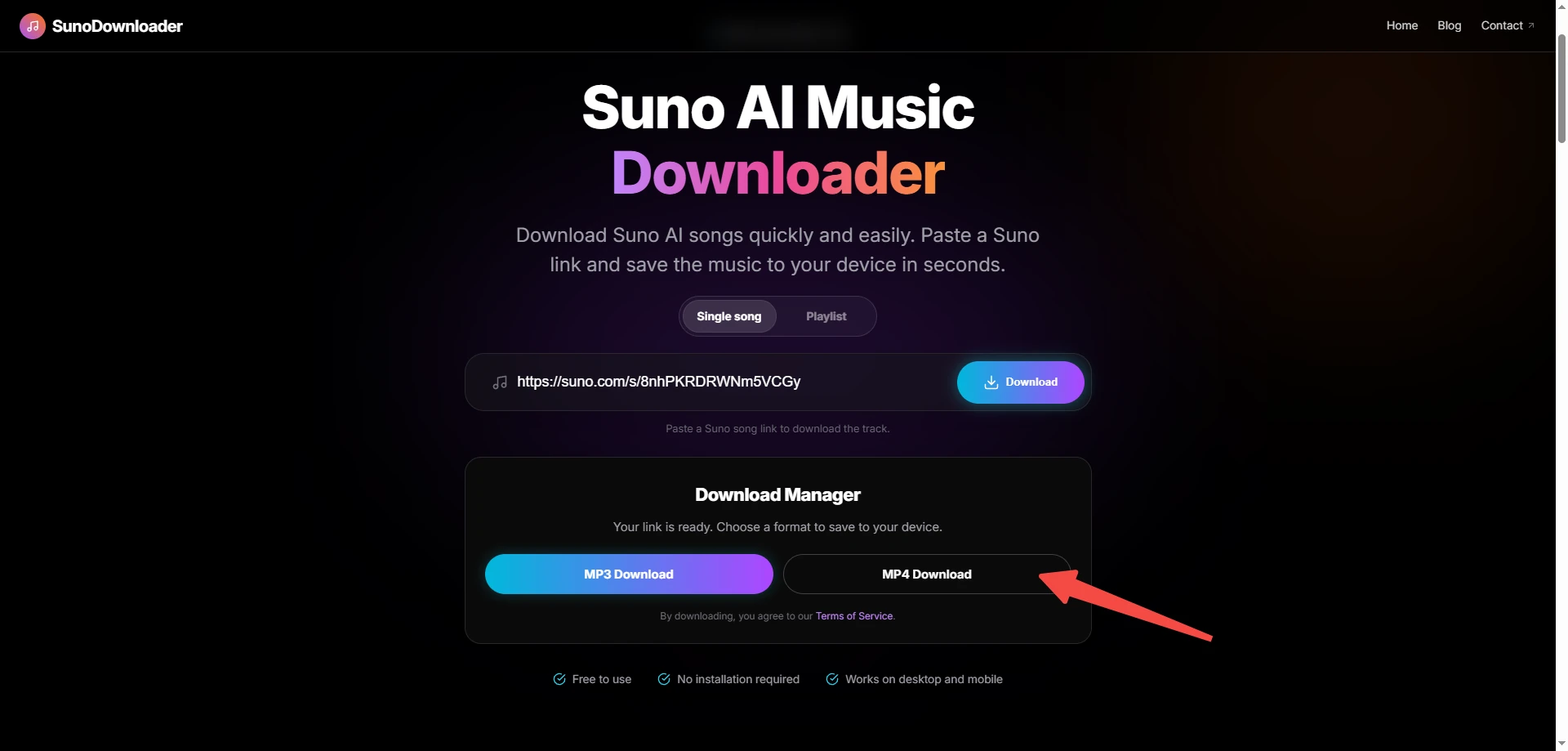
For supported public songs, our SunoDown web tool lets you download the video from its song link:
- Copy the song link. Open the song in Suno and copy its share link.
- Paste it into SunoDown. Select Single song, paste the link, and click Download.
- Click MP4 Download. Save the video to your device.
Why Is the Suno Video Download Not Working?
| What you see | What to check |
|---|---|
| Video is missing or grayed out | Open the song’s download menu on suno.com and check its video options and any account message. |
| You get MP3 instead of MP4 | Return to the download menu and select MP4. |
| The video plays in a browser tab | Use the player’s Download or Save video as control to save the file. |
| The file stops early or will not open | Retry the download over a stable connection. If the file still will not open, try another compatible player. |
| There is an allowance or access message | Check your account’s download allowance and access to the song. |
For links, browser errors, and files that will not save, follow our Suno download troubleshooting guide. Allowance questions are covered in the Suno download limits guide.
Download Your Suno Video
To download a supported public song video, copy its link, open SunoDown, and click MP4 Download.